
USB Drive Not Showing Files? How to Check and Recover Safely
A USB drive that does not show files is not always empty. Files may be hidden, the directory may be damaged, malware may have changed attributes, or Windows may be reading the file system incorrectly. The safest workflow is to check visibility first, then recover important files before repair.
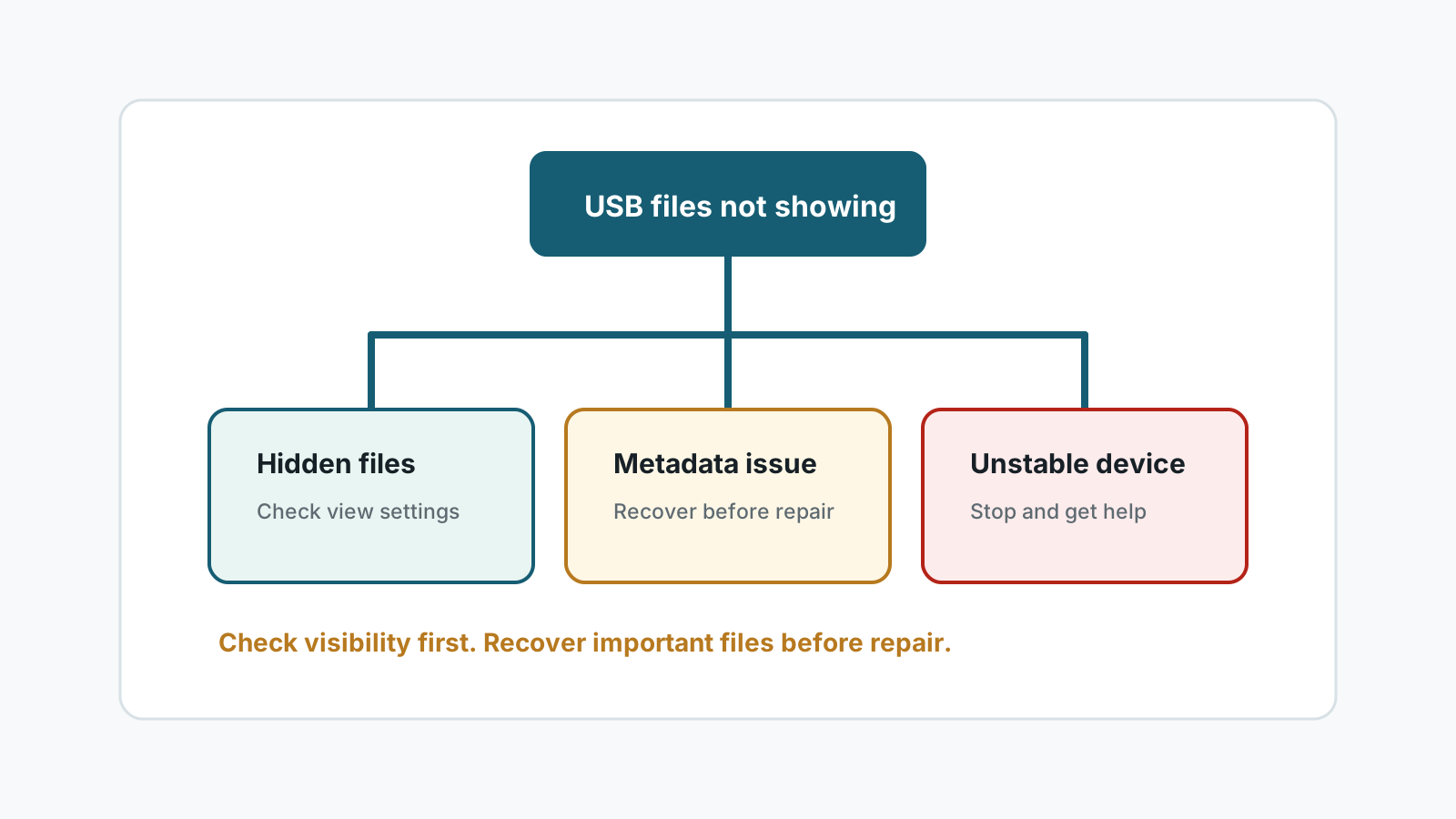
Why USB files may not show
Hidden attributes
Files may exist but be marked hidden or system, especially after malware or tool changes.
Wrong view or account
Another PC, user account, or file explorer setting may show a different result.
File system damage
The directory index can be damaged even when raw file content still exists.
Physical instability
Repeated disconnects, heat, or bent connectors can prevent reliable reads.
Safe checks before scanning
- Try another USB port or Windows PC without copying anything to the drive.
- Enable hidden items in File Explorer and inspect the drive carefully.
- Scan the computer for malware if hidden-file settings keep changing.
- Check drive capacity: used space with no visible files suggests hidden files or index damage.
When to recover instead of repair
If the USB drive shows used space but files are not visible, or if Windows reports RAW, needs formatting, or errors during browsing, recover important files first.
Use a local scan, preview what can be opened, and export recovered files to another physical disk before running repair or formatting.
Mistakes to avoid
- No recovery software can guarantee 100% recovery from a USB drive.
- Do not format the USB drive to make it readable before recovery.
- Do not save recovered files back to the same USB drive.
- Do not repeatedly run repair tools on a drive that disconnects or overheats.
- Do not assume deep scans will preserve original folders if metadata is damaged.
FAQ
Why does my USB show used space but no files?
The files may be hidden, the directory may be damaged, or Windows may be unable to read the file system correctly.
Should I run CHKDSK first?
If the files are important, recover or copy them first when possible because repair commands can change metadata.
Can hidden USB files be recovered?
If they are only hidden, you may reveal or copy them. If metadata is damaged, a recovery scan may be needed.
When should I stop using the USB drive?
Stop immediately if it disconnects, overheats, is physically damaged, or contains critical files.