
How Does Data Recovery Software Work?
Data recovery software does not magically rebuild every lost file. It looks for remaining file records, file content, and recognizable file patterns that have not been overwritten yet.
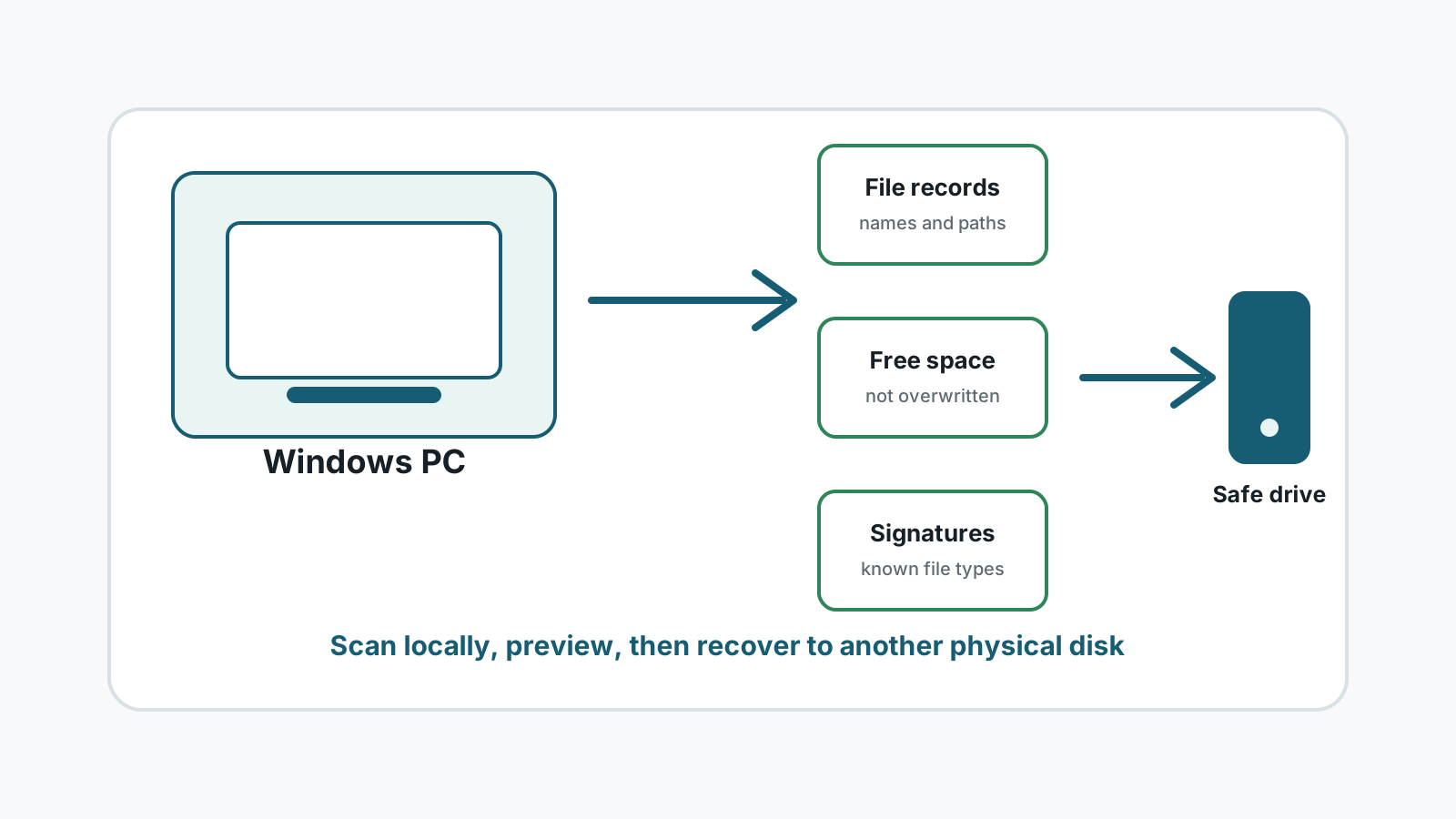
What recovery software looks for
File system records
When metadata still exists, software may find names, sizes, dates, and folder locations.
Unallocated space
Deleted file content may remain in space Windows marks as reusable until new data overwrites it.
File signatures
Deep scans can search for recognizable headers and patterns such as JPEG, PDF, ZIP, or DOCX data.
Readable device areas
Software recovery depends on the drive staying stable enough to read sectors without worsening damage.
A practical recovery workflow
1. Stop new writes
Pause downloads, installs, repairs, and copying to the affected drive.
2. Scan locally
Use a Windows recovery tool to inspect the affected disk or partition without uploading user files.
3. Preview candidates
Check supported photos, documents, and text files before exporting large batches.
4. Export elsewhere
Recover selected files to another physical disk and verify that they open.
Why results are never guaranteed
- Overwritten data usually cannot be recovered by software.
- SSD TRIM may clear deleted file content quickly.
- Deep scans may lose original names and folder paths.
- Fragmented videos, archives, and documents may recover only partially.
- Physical damage needs specialist handling before repeated scans.
How Recovery Studio fits this process
Recovery Studio is designed around local Windows scanning, organized results, preview, and safer export to another drive. It should be used after safer restore paths such as Recycle Bin, File History, Previous Versions, and cloud recycle bins have been checked.
The right expectation is an informed attempt, not a promise. The safest next step is to protect the source drive and review recoverable candidates before exporting.
Data recovery software FAQ
Does recovery software upload my files?
Recovery Studio is designed for local Windows scanning and recovery. The files are scanned on your PC rather than uploaded for recovery.
Can software recover every deleted file?
No. Overwrite, SSD TRIM, device damage, and missing metadata can prevent recovery.
Why do some recovered files lose their names?
Deep scans may find content by signature after filesystem metadata is missing, so original names and folders may not be available.