
Why Do Recovered Files Have Different Names?
Different recovered file names usually mean the scan found file content after some or all file system metadata was missing. The file may still be useful, but the original name and folder path are not always available.
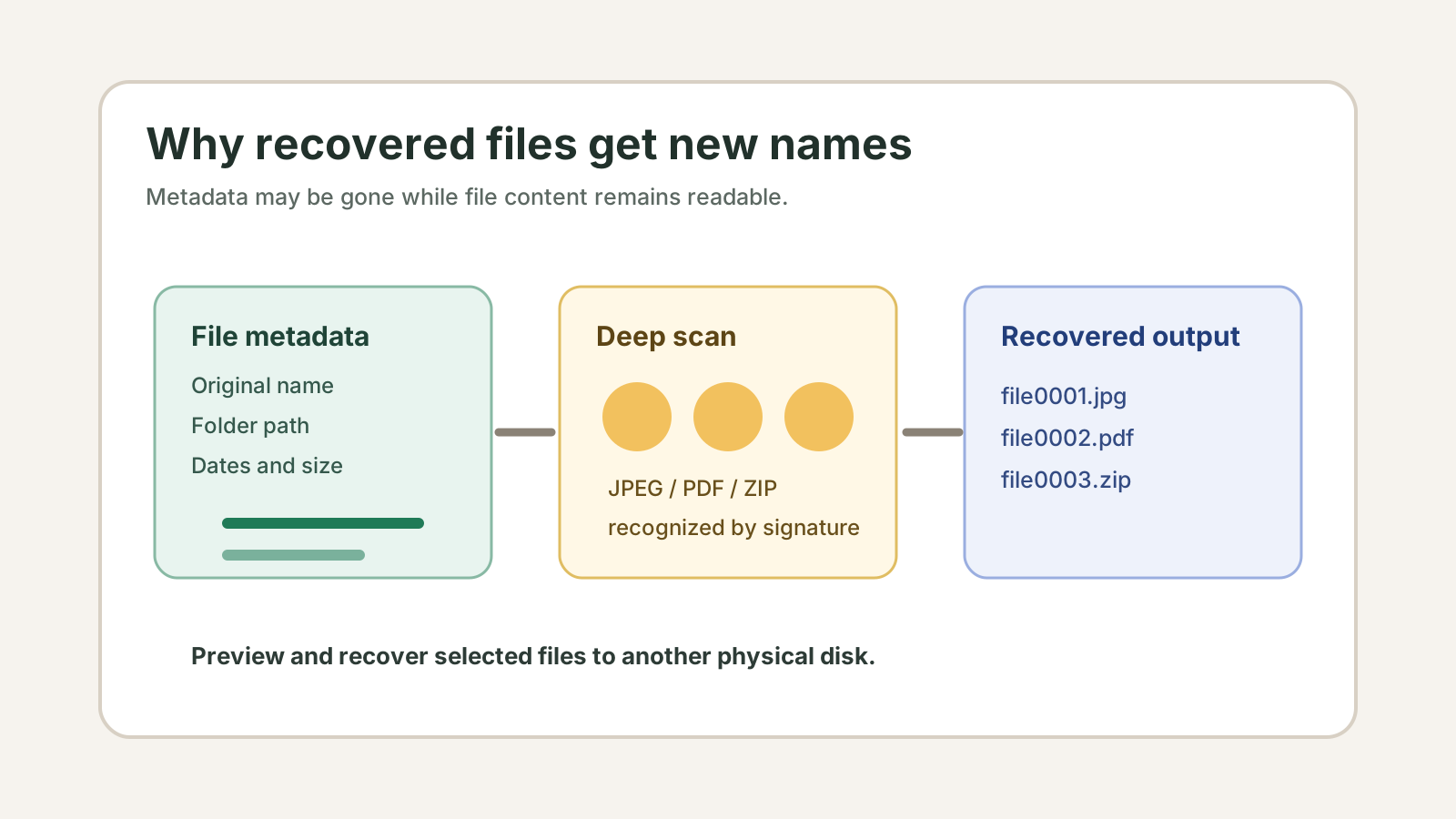
Why names change after recovery
Windows stores file names and folders in file system records. A normal restore can preserve those records when they still exist, but a deep scan may only recognize the file content itself.
When software finds a JPEG, PDF, ZIP, or DOCX by signature without the original directory record, it often assigns a generated name so you can sort and preview the result.
When original names may still be available
Recent deletion
If metadata has not been overwritten, a quick scan may preserve more names and folders.
Healthy file system
A readable NTFS, exFAT, or FAT32 volume gives recovery software more structure to inspect.
Backup restore
File History, Previous Versions, OneDrive, and other backups usually preserve names better than deep scan.
Lost metadata
After formatting, corruption, or partition loss, names may be incomplete even when file content is found.
How to review renamed files
1. Sort by file type and size
Group photos, documents, archives, and videos before opening individual results.
2. Preview before export
Use previews for supported photos, PDFs, and text files so you recover fewer irrelevant files.
3. Export to another disk
Save useful results only to a different physical drive, then rename and organize them there.
What not to assume
- A renamed file is not automatically broken.
- A familiar original name does not guarantee the file content is intact.
- Deep scan cannot promise the original folder structure.
- Repeated writes to the source drive can reduce what remains recoverable.
Deep scan result FAQ
Does a different recovered name mean the file is unusable?
No. It may only mean the original metadata was not available. Preview or open the recovered copy from a separate drive to judge usefulness.
Can Recovery Studio always restore original folder paths?
No. Original folders depend on file system metadata, and deep scan results may use generated names.
Should I rename files on the source drive?
No. Recover useful files to another physical disk first, then rename the recovered copies.