
External Hard Drive Not Detected? How to Recover Files Safely
When an external hard drive is not detected, avoid rushing into formatting or repeated repair attempts. First identify whether Windows cannot see the hardware at all, sees it in Disk Management, or sees a volume without a drive letter.
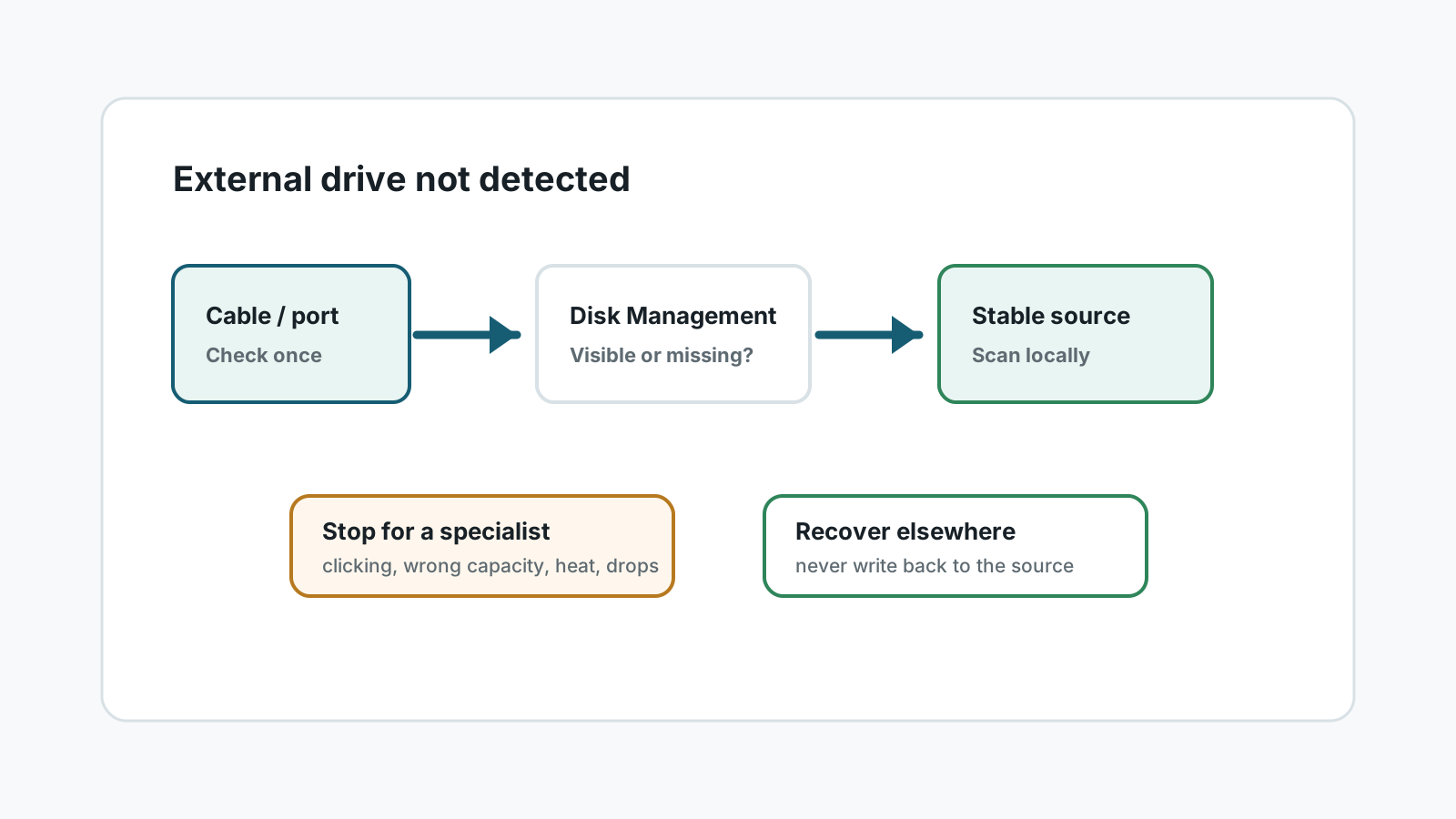
First separate detection problems from data loss
No power or repeated disconnects
Try one known-good cable or port, then stop if the drive remains unstable.
Visible in Disk Management
If Windows sees the disk, recovery software may be able to scan it before repair.
No drive letter
A missing letter is not the same as lost data. Do not format to make it appear.
Wrong capacity or clicking
These are hardware warning signs. Stop DIY recovery and use a specialist.
Safer Windows checks before recovery
- Try a different USB port and cable once, preferably without a hub.
- Open Disk Management to see whether the disk is listed, offline, RAW, or missing a drive letter.
- Avoid Initialize, Format, or repair prompts if important files are still on the drive.
- If the drive appears and stays connected, prepare another destination disk before scanning.
When to scan the drive
1. Confirm stable detection
Only attempt software recovery if the external drive stays connected long enough to read.
2. Scan before repair
Run a local scan or create an image before changing partitions, formatting, or running repair tools.
3. Preview and export elsewhere
Recover selected files to another physical disk and verify them from the destination.
When software recovery is the wrong next step
- The drive clicks, beeps, spins down, or gets very hot.
- Windows sees the wrong capacity or no device at all after a cable check.
- The drive contains business-critical data where failed DIY attempts are unacceptable.
- The enclosure or port is physically damaged.
FAQ
Can I recover files if the external hard drive is not detected?
Only sometimes. Software needs the drive to be readable. If Windows cannot detect the device reliably, specialist recovery may be required.
Should I initialize the disk in Windows?
No, not before recovery. Initialization can change disk structures and make recovery harder.
Is assigning a drive letter safe?
It can be safe in some cases, but do not format or repair first. If data matters, scan or image before making changes.
What if the drive clicks?
Stop. Clicking usually points to physical failure and should be handled by a recovery specialist.