
Can Files Be Recovered After a Quick Format?
A quick format usually resets filesystem bookkeeping faster than it erases every file. That can leave a recovery window, but only if you stop writing to the formatted drive and use a separate destination for recovered files.
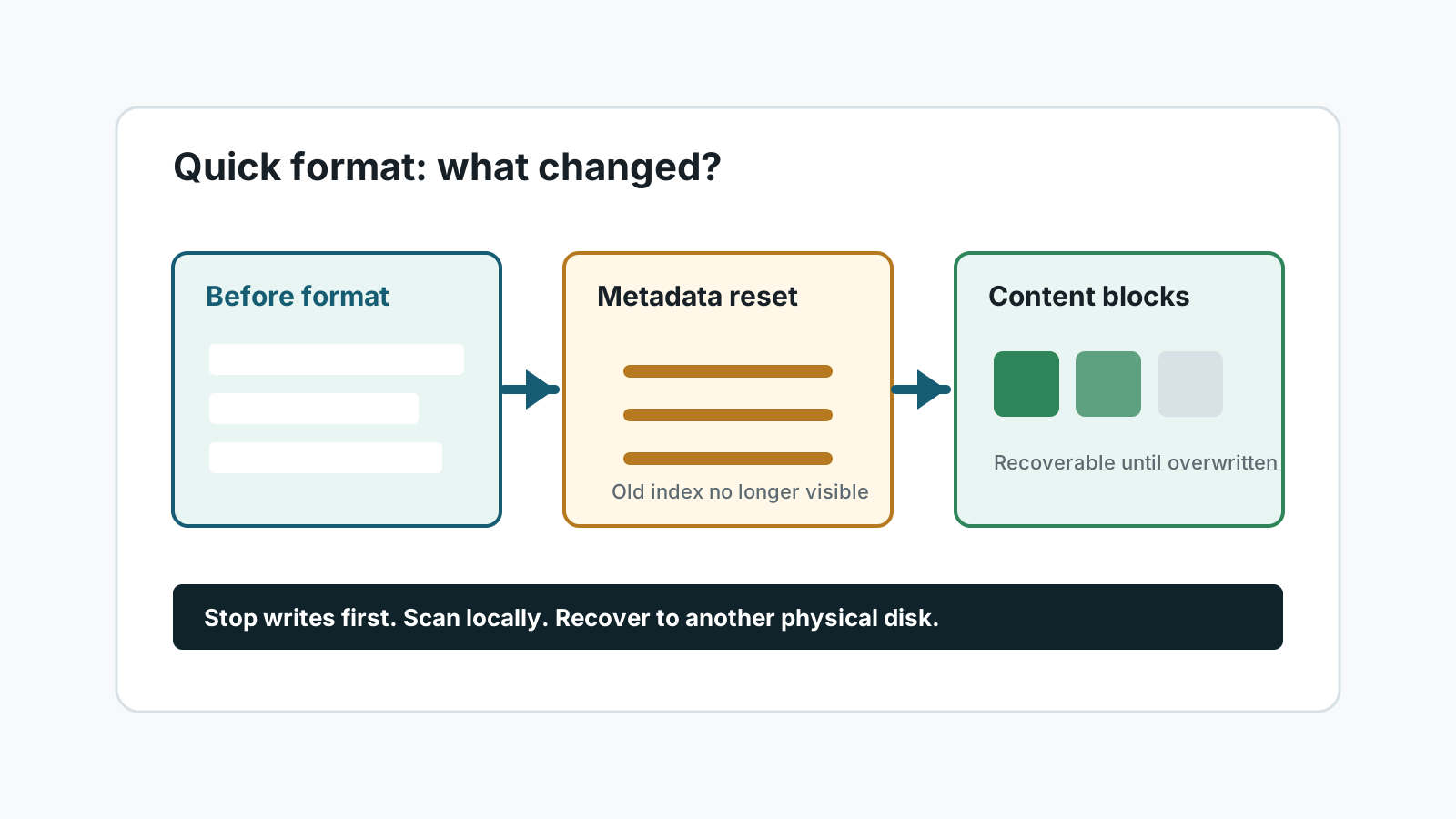
What a quick format changes
A quick format typically creates a new empty filesystem view and marks previous space as available. The previous file content may still be present until new data uses those blocks.
The result is different from a full overwrite. You may still recover some files, but the original names, folders, and completeness depend on remaining metadata and content.
Signs recovery may still be worth trying
- The format was quick, not a full wipe or secure erase.
- You stopped using the drive immediately afterward.
- The drive is detected consistently and does not make unusual sounds.
- You have another physical drive ready for recovered files.
How to scan after a quick format
1. Protect the source drive
Disconnect it until you are ready, or keep it idle if it is an internal drive.
2. Check backups first
A backup, File History copy, cloud version, or Windows.old folder is safer than scanning when available.
3. Run a local scan
Use a deep or extensive scan when the formatted filesystem no longer shows the old directory structure.
4. Recover elsewhere and verify
Save output to another physical disk and open recovered files before you reuse the formatted drive.
When recovery is less likely
- A full format, secure erase, or drive wipe was performed.
- Large files were copied to the drive after formatting.
- SSD TRIM or device firmware has discarded old blocks.
- The device disconnects, clicks, overheats, or shows physical damage.
FAQ
Is quick format the same as deleting everything forever?
Not always. It often resets filesystem records while old content remains until overwritten, but recovery is never guaranteed.
Should I run CHKDSK after a quick format?
Not as a first step for lost files. Repair tools can write changes to the source drive. Protect the data first.
Why do recovered files lose their names?
A deep scan may find file content by signatures after the original directory records are gone.
Can I keep using the formatted drive after scanning?
Wait until you have recovered and verified needed files. Reusing it too early can overwrite remaining data.