
What Does Deep Scan Mean in Data Recovery?
Deep scan is not one universal magic mode. In most recovery tools, it means the software looks beyond a simple deleted-file record search and spends more time inspecting the source drive for remaining content.
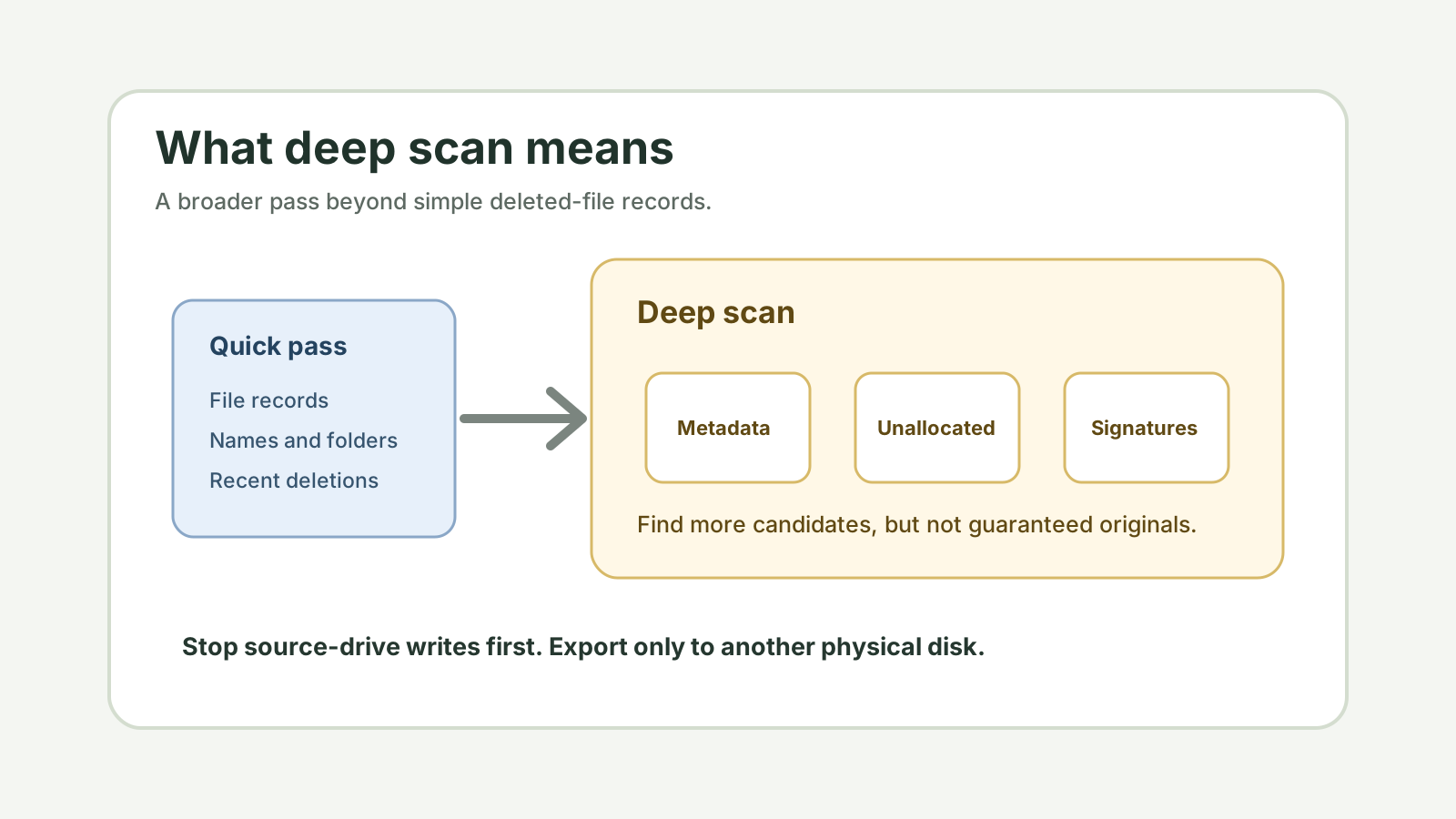
What deep scan usually means
More disk areas
The scan may inspect larger parts of the drive instead of only recent deleted records.
File signatures
It may search for recognizable file headers and patterns when names and folders are gone.
Lost structures
Some tools also look for lost partitions, damaged tables, or older file system records.
Longer runtime
Capacity, connection speed, file count, and bad sectors can make deep scan take much longer.
When a deep scan makes sense
- The files are not in Recycle Bin, File History, Previous Versions, or cloud recycle bins.
- A quick scan found too little or did not find the target file type.
- The drive was quick-formatted, became RAW, or lost folder metadata.
- You have already prepared another physical disk for recovered files.
Deep scan limitations
Deep scan can find useful file content, but it cannot reverse overwrite. It also may not preserve original names, dates, or folder structure when metadata is missing.
Large fragmented files such as videos, archives, and some Office documents can be harder to reconstruct cleanly. Preview and validation matter after recovery.
A safer deep scan workflow
1. Stop source-drive writes
Pause installs, downloads, repairs, and copying to the affected disk.
2. Check safer restore paths
Backups and version history are often better than deep scan if they exist.
3. Scan locally
Run the scan on the affected source while keeping output on another physical disk.
4. Preview and verify
Use preview where possible, then open recovered copies from the destination disk.
Deep scan result FAQ
Is deep scan better than quick scan?
Not always. Quick scan can be better for recent deletions when metadata remains. Deep scan helps when metadata is missing, but may lose names and take longer.
Can deep scan recover overwritten files?
No. Software cannot guarantee recovery after file content has been overwritten.
Why does deep scan produce many extra files?
It may find old, partial, cached, or duplicate file signatures. Use type filters, size filters, and previews to narrow the results.